Download
Get Gentastic for Windows
One portable ZIP. No installer, no separate .NET runtime, no Python. Unzip it, run the exe, and Gentastic detects your GPU automatically.
Download options
Portable build (recommended)
A single self-contained ZIP bundling the CPU, Vulkan and NVIDIA CUDA 12 backends - the same download works on AMD, Intel and NVIDIA GPUs. Gentastic auto-detects the fastest one available.
Get the latest release
Opens the GitHub Releases page - grab the newest Gentastic-portable-win-x64.zip.
Requirements
| OS | Windows 10 or 11, 64-bit |
| GPU | NVIDIA (CUDA) or AMD/Intel (Vulkan) recommended. CPU-only works, just much slower. |
| .NET | Bundled - nothing to install separately |
| Disk | ~310 MB for the app; a few GB per model you download |
Before you download: this app can generate adult content
Gentastic ships with optional, opt-in models capable of explicit adult imagery, and a "keep-face" identity feature that can place a real person's likeness into a generated scene. They're hidden by default and gated behind an age confirmation and a per-generation acknowledgement - no depicting minors, no real people other than yourself, no deepfakes, and you remain legally responsible for what you generate even though the app runs entirely offline. Read the full policy below before you install.
Getting started
- Download & unzip the portable ZIP anywhere - no admin rights needed.
- Run Gentastic.App.exe. On first launch it detects your GPU and recommends a backend (CUDA, Vulkan, or CPU) - confirm or override it.
- Open the Models page and download a model. FLUX.2 klein 4B is the default - small, fast, and needs no license token.
- Go to Generate, type a prompt, and hit Generate. That's the whole workflow.
Before you install
Responsible use
This application can generate adult content
Gentastic ships with optional, opt-in models capable of generating explicit adult imagery, and with a "keep-face" identity feature that can place a real person's likeness into a generated scene. This section is a warning and a policy disclosure, not a feature pitch - read it before you install.
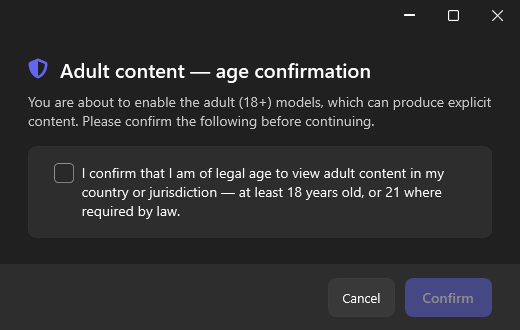
- Adult models are hidden by default. Enabling them requires an explicit confirmation that you are of legal age to view adult content in your jurisdiction.
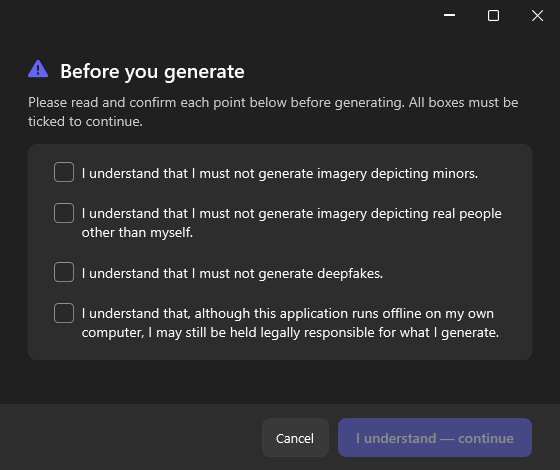
- Every generation using an adult or identity-locked model requires you to acknowledge, each time: no depicting minors, no real people other than yourself, no deepfakes, and that you remain legally responsible for what you generate - even though the app runs entirely offline on your own machine.
- Gentastic performs no content moderation of what you type or generate. Responsibility for compliance with the law in your jurisdiction is yours alone.
If you're not comfortable with that, the default, general-purpose models cover text-to-image, image-to-image, and photo editing without any of this - and that's most of what most people use Gentastic for.
Support the project
Gentastic is free & open source
No account, no subscription, no ads. If it's useful to you, these help keep it going.