skip to content
szczecin 53.43N 14.55E ./start-project

bartosz@idct:~/software/sticker-maker$ sticker-maker --features

features

Turn your photos into stickers. Make it stick.

get it on Google Play ↗

One-tap cut-out · On-device AI · No ads, ever

From camera roll to group chat, in seconds.

Pick a photo, tap once to lift the subject out, caption it, and share. All of it happens on your phone: no upload, no account, nothing waiting on a server.

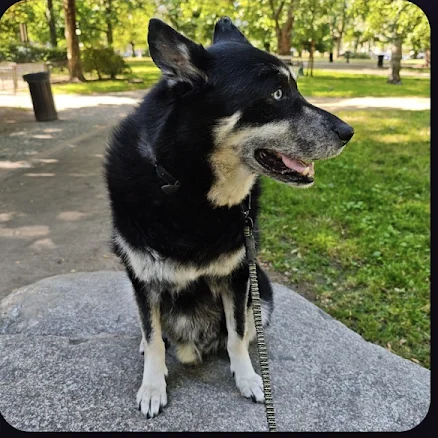
The original photo on the canvas: a black and tan dog sitting on a rock in a park
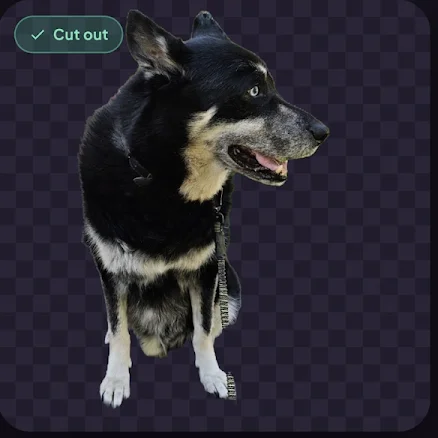
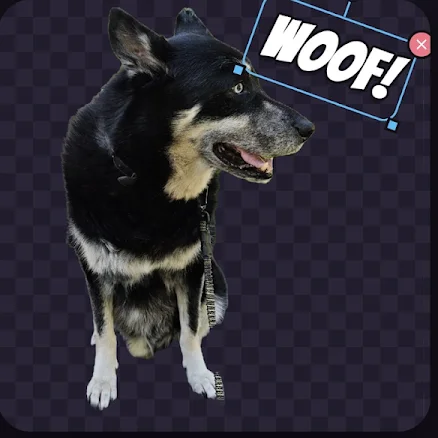
One photo, four steps: the canvas from real screens of the app.

Why Sticker Maker

Three things it does differently

Most sticker apps send your photo to a server, then sell you the good parts one unlock at a time. This one goes the other way.

  • The cut-out runs on your phone

    One tap lifts your subject off its background, and the AI that does it runs on your device. Nothing is sent anywhere to be processed, so it works with no signal at all.

  • Free, and all of it

    Every feature is there from the first launch: cut-out, outlines, text, bubbles, emoji, adjustments, animation, export. No ads, no subscriptions, no in-app purchases, no watermark on your stickers.

  • Private because there’s nothing to collect

    No account, no sign-in, no analytics, no advertising IDs. Your photos and projects stay in the app’s own storage on your device, and we have no server that could receive them.

What you can make

Six tools, one canvas

The same six you see along the bottom of the app. The tools page goes through each of them.

  • Cut out

    One-tap background removal: your subject, cut out cleanly. Then add the classic white die-cut outline around it, adjustable to any width.

  • Text and bubbles

    Bold sticker captions and comic speech bubbles in playful fonts, with a thick contrasting outline so they read at sticker size.

  • Layers

    Photos, captions, bubbles, emoji and props all stack as layers. Reorder, hide or delete any of them, and move, scale and rotate each one.

  • Adjust

    Fine-tune brightness, contrast, saturation, hue and opacity per layer, with a live preview on the canvas.

  • Erase and restore

    The AI gets it right almost every time. For the rest, brush away what’s left over or paint a missing ear back in.

  • Frames and GIFs

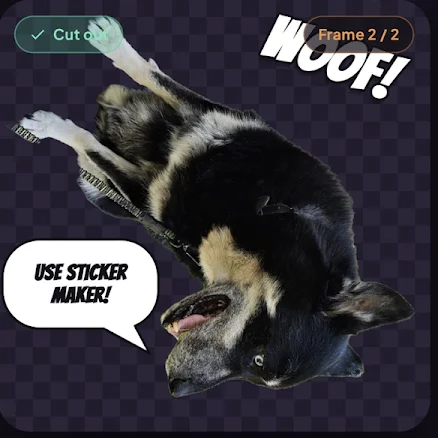
    Turn a few frames into a looping animated sticker, set the playback speed, and export it as a GIF.

Send it anywhere

Made for the chat it’s going into

Share to WhatsApp and Telegram through the system share sheet, or save a file and do what you like with it. Group your stickers into packs inside the app, each one tagged with the emoji it stands for.

  • Add to WhatsApp

    A finished pack goes straight into WhatsApp’s own sticker picker, next to the packs you already have.

  • Add to Telegram

    Sends the whole pack into Telegram with the pack name ready for @Stickers. A guided handoff rather than a single tap, because that’s how Telegram builds packs.

  • PNG, WebP or GIF

    Save a transparent PNG, a WebP or an animated GIF, and use it however you like.

  • Anything in the share sheet

    Any app that takes an image takes your sticker, through the ordinary Android share sheet.

Private by design

Your photos never leave your phone

The app has no servers, no accounts and no analytics. There is nothing for it to send.

  • Nothing is uploaded

    Photos you import, the background removal, your text, frames and packs all happen on your device and stay in the app’s private storage. A sticker only leaves when you share it, to the app you picked in the share sheet.

  • No account, no sign-in

    There’s nothing to register for and no profile to fill in. Install it, open it, make a sticker. No analytics SDKs, no crash-reporting SDKs, no advertising identifiers.

  • Written down, in plain English

    On Android the cut-out can use Google ML Kit, which fetches its model through Play Services. That’s the model coming down, never your photo going up. The privacy policy spells out exactly what happens where.

Why it’s free

Because it costs nothing to run

Free usually means the money comes from somewhere else: ads, a subscription, or the data you hand over without noticing. This one is different for a boring reason. Every sticker is made on your phone, so there are no servers to pay for and no bills that scale with the number of people using it. Nothing to recoup means nothing to sell you, and nothing to collect about you.

Free · no ads · no subscriptions · no in-app purchases · no watermarks · no accounts.
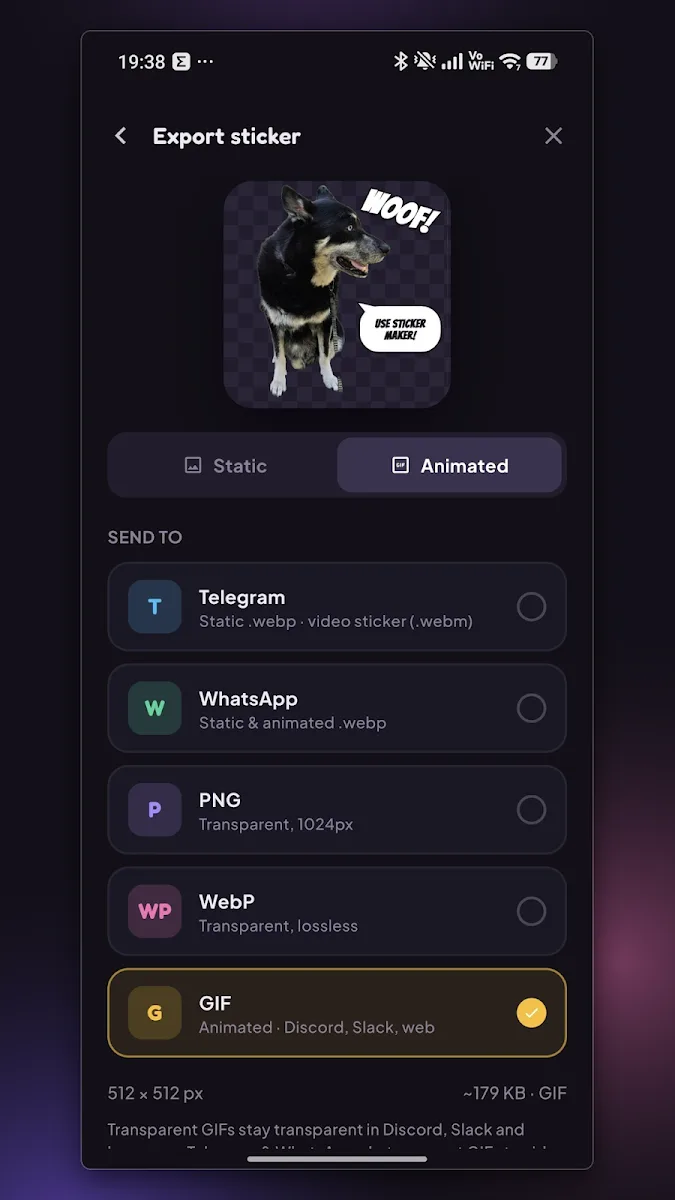
The Export sticker screen: a preview of the animated sticker, Static and Animated tabs, and Telegram, WhatsApp, PNG, WebP and GIF as targets (open full size)
Export: every format, no watermark.

$ sticker-maker --get

Get Sticker Maker

Android today, iOS planned. Free, every feature included: no ads, no subscriptions, no in-app purchases, no watermarks.