Free · On-device AI · Android

Erase the background.
Not your privacy.

Cut out subjects, erase objects, then stack layers with filters, shadows and blend modes - powered by AI that runs entirely on your phone.

Coming soon to Google Play · Free, ad-supported · one-time upgrade removes ads.

No uploads No account Editing works offline Free
The same photo with its background removed by on-device AI
Original photo of a dog in a park
Before After · AI cut-out

15 looks, one tap

Try the filters right here

These aren't mock-ups. Every look below is the app's own colour transform, lifted straight out of the source and handed to your browser - so what you pick here is exactly what your photo gets.

Every look keeps its own strength slider, and none of them touch your original pixels - switch or undo at any time.

Beyond colour

Depth, glow and grit

Vignette, HDR, drop shadow and contour are painted rather than tinted - and they stack on top of any filter, on any layer.

The photo before a vignette The same photo with a vignette darkening the corners BeforeVignette

Vignette

Any colour, with size and softness. On a cut-out it follows the subject's silhouette instead of shading a rectangle behind it.

The photo before HDR The same photo with the HDR effect lifting shadows and local contrast BeforeHDR 100%

HDR

Lifts shadows, holds the highlights, then adds local contrast - the look a phone camera's HDR mode gives you, on a slider.

A cut-out subject casting a soft drop shadow

Drop shadow

Direction, distance, blur, spread, colour and opacity. It travels with the layer, so a rotated sticker keeps its shadow.

A cut-out subject with a thick white contour, sticker style

Contour

A stroke grown out of the layer's own silhouette - the die-cut sticker edge. On text, the same control gives you an outline.

One tap, real AI

Cut it out. Drop it anywhere.

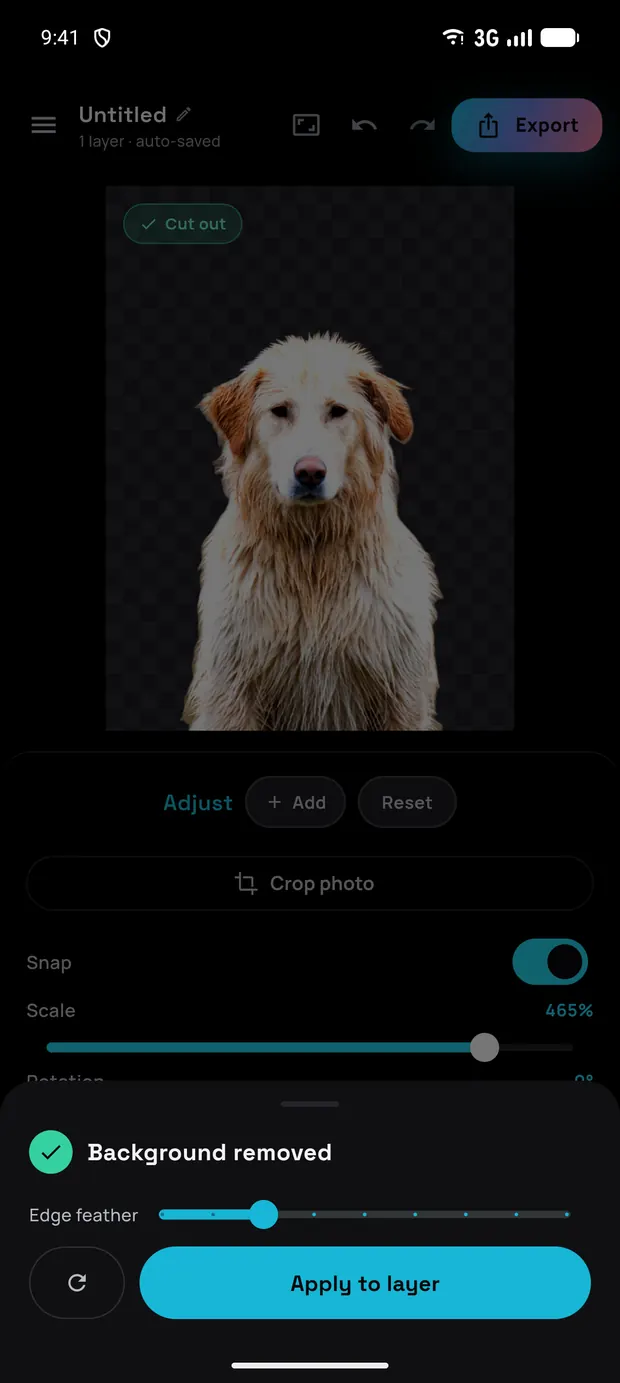
The before/after at the top is a genuine result from the app's on-device model - no cloud, no touch-ups. Once your subject is free, put it on any backdrop or export it as a transparent PNG.

Dog cut-out on a sunset gradient backgroundSunset
Dog cut-out on a bold cyan backgroundPop
Dog cut-out shown on a checkerboard to prove transparencyTransparent PNG
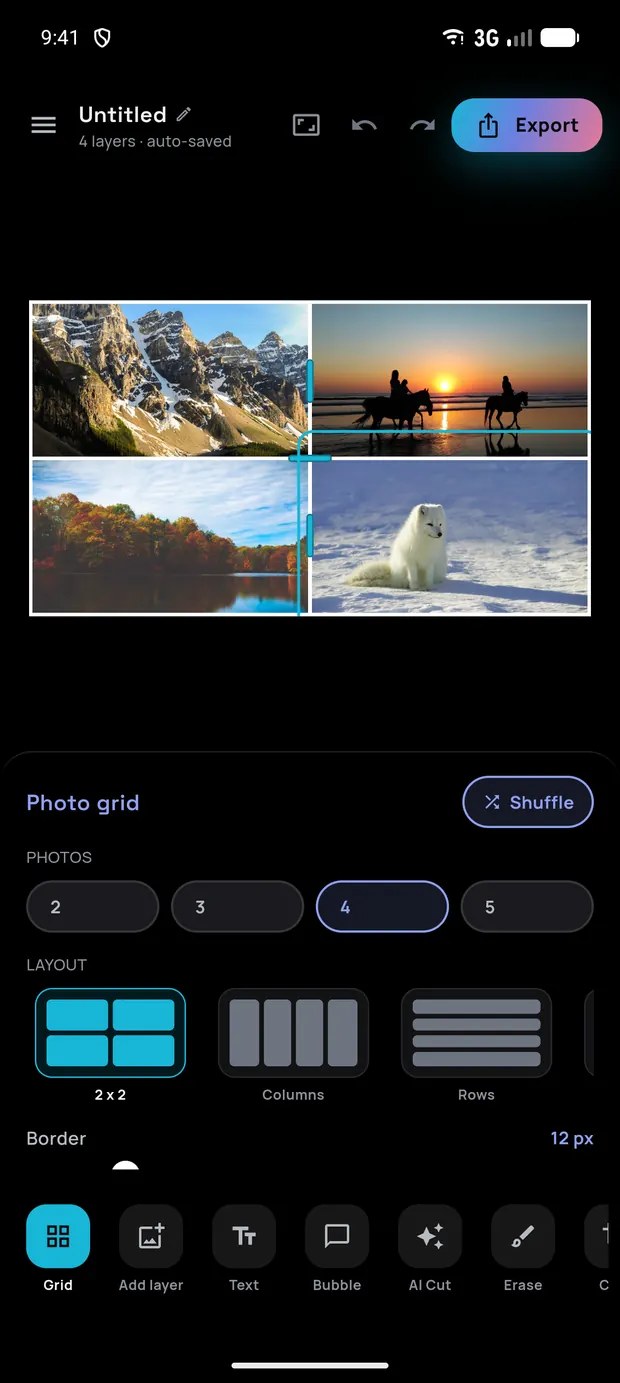
A four-photo collage in a 2 by 2 grid, with the Photo grid panel showing count, layout and border controls

Photo grid

Collages that hold their shape

A grid is a partition of the canvas, not a separate kind of document - so a cell is just a window onto the same editor. Cut out a subject, stack a filter, drop in text: every tool works inside a cell exactly as it does anywhere else.

  • 🧩

    18 layouts, 2 to 5 photos

    Four ways to place two photos, four for three, five each for four and five - named the way you'd describe them: Side by side, Big left, 2 over 3. Swap layout at the same count and photo N stays in cell N.

  • ↔️

    A divider moves two cells

    Drag one and it trades space between exactly those two neighbours - every other cell keeps its rect. No cell shrinks past 12% of its split, and the whole drag is a single undo.

  • 🖼️

    The border is the background

    Gaps and the outer frame are the fill showing through, not a stroke laid over your photos. One Border slider from 0 to 80 px sets both, Corners runs 0 to 60 px, and there are nine preset colours.

  • 🔓

    Nothing is locked in

    Count, layout, border, corners and colour stay in the Grid panel for the life of the project. Dropping to fewer photos does remove the ones in the cells that go - and one undo brings them back.

Everything in one editor

A full studio in your pocket

From a one-tap cut-out to layered compositions with filters, blend modes and collages - every tool runs locally on your device.

🪄

One-tap background removal

On-device AI finds your subject and cuts it out cleanly - Google ML Kit with a bundled U²-Netp model as a universal fallback.

🎯

Tap to erase objects

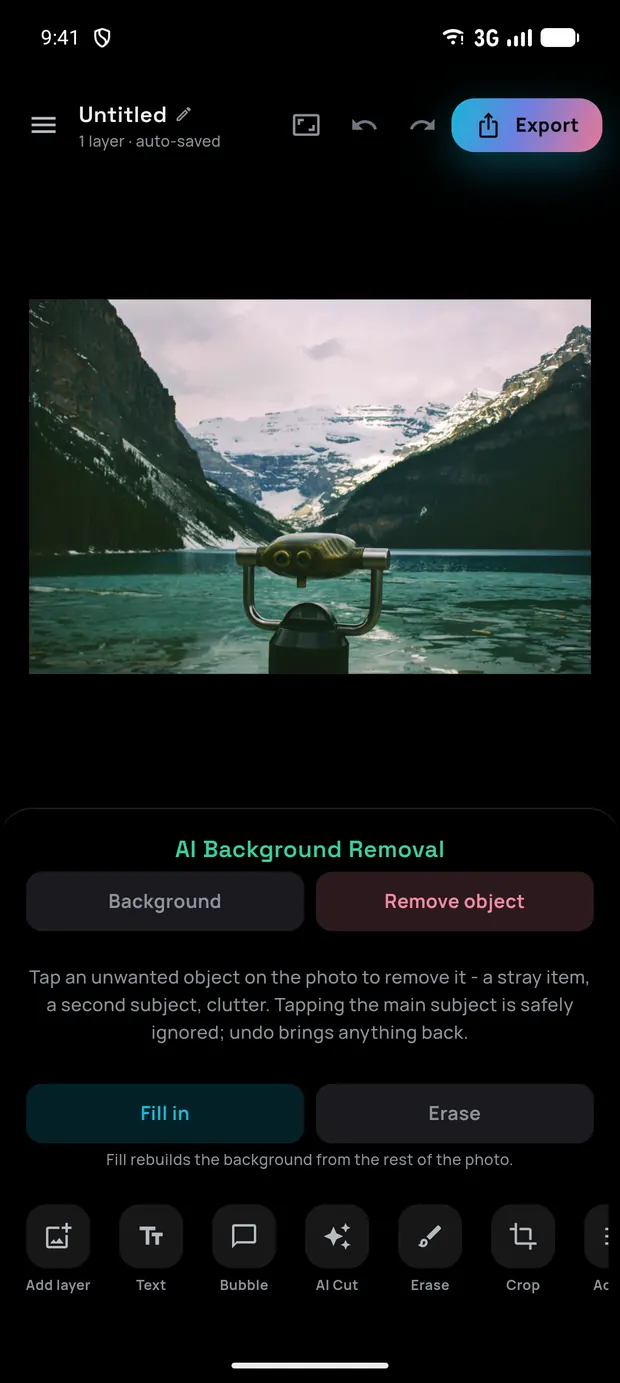
Point at anything you don't want - a photobomber, a sign, a stray leash - and MobileSAM selects it to remove.

🎞️

15 filters, HDR & vignette

One-tap looks with a strength slider, an HDR pass that lifts shadows and local contrast, and a vignette in any colour.

🌓

Shadow, contour & blend

Give any layer a directional drop shadow and a die-cut contour, then composite it with 16 blend modes - Multiply through Luminosity.

🗂️

Layers, merge & flatten

Stack, move, scale and rotate freely. Merge two layers or flatten the lot into one photo - each a single undo step.

🧩

Photo grid collages

Two to five photos across 18 layouts. Drag the dividers, restyle the border, and keep using every other tool inside a cell.

💬

Text & comic bubbles

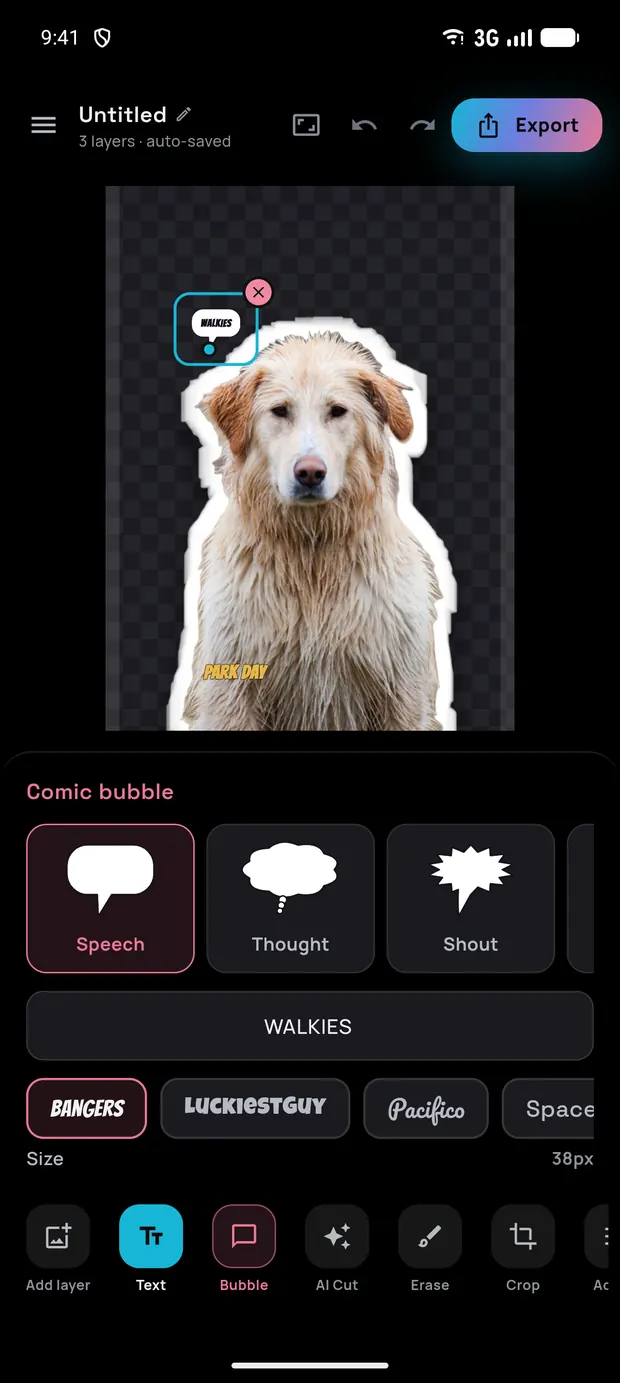
Captions in bold display fonts with their own outline and shadow, plus rotatable, re-tailed speech bubbles.

🎚️

Adjust, erase & crop

Fine-tune light and colour, brush away stray pixels by hand, and crop the canvas freeform or to any ratio.

📤

Export with transparency

Save or share as a transparent PNG, JPG or WebP at full size or a fraction of it - straight to your gallery or any app.

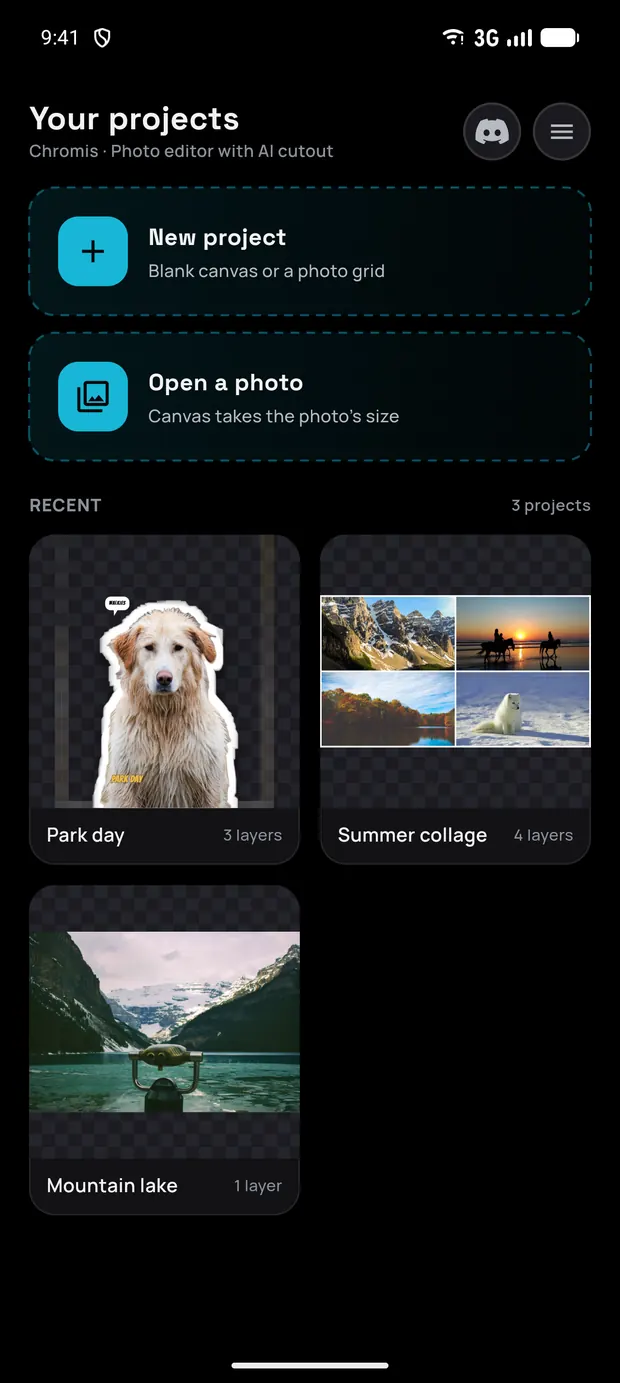
Chromis home screen with a New project card, Open a photo card and two recent projects

Why Chromis

Powerful edits, nothing to hide

  • 🔒

    Private by design

    Background removal, object erase, adjustments - it all happens on your device. Your photos never leave your phone unless you choose to share them.

  • 🎁

    Free to use

    Every editing tool is free, supported by ads. Prefer a clean canvas? One small one-time purchase removes ads for good.

  • 🚀

    No account, works offline

    No sign-up and no login. Because the AI runs locally, editing keeps working even without a connection.

Take a look

Inside the editor

Filters, collages, layers and one-tap AI - all running on your phone.

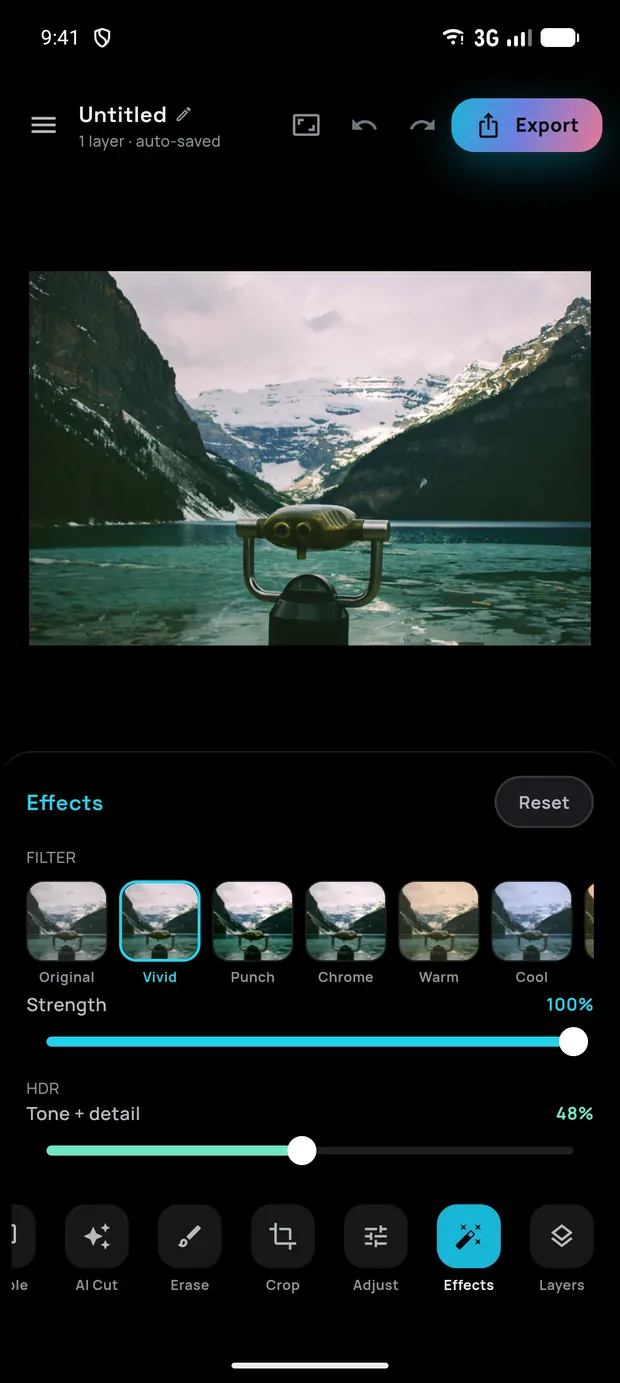
Effects panel with a live filter strip, the Punch look selected and a strength slider

Effects

Filters, HDR & vignette

A four-photo collage in a 2 by 2 grid with the Photo grid panel open

Photo grid

Collages with draggable dividers

The AI Cut sheet offering the built-in engine or U squared Net

AI Cut

Background & object removal

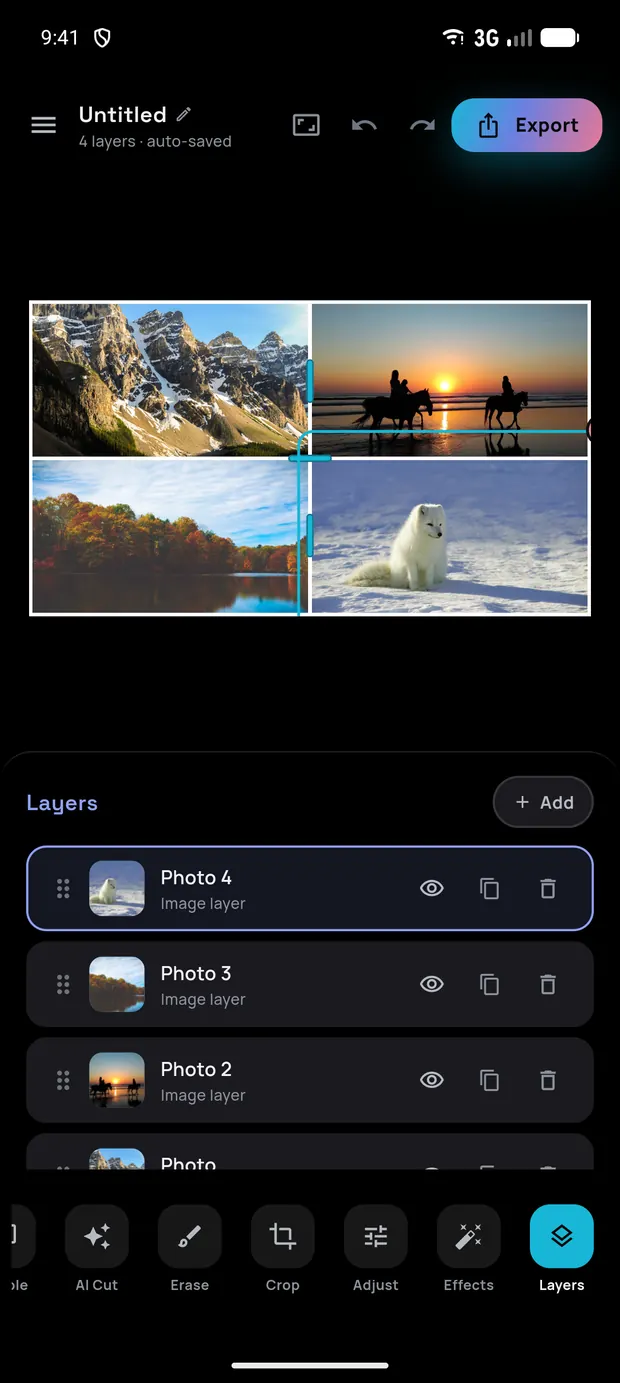
Layers panel listing four photo layers with thumbnails

Layers

Stack, merge & flatten

Adjust panel with brightness, contrast, saturation and hue sliders

Adjust

Light, colour & crop

Home screen with recent projects

Home

Your projects, auto-saved

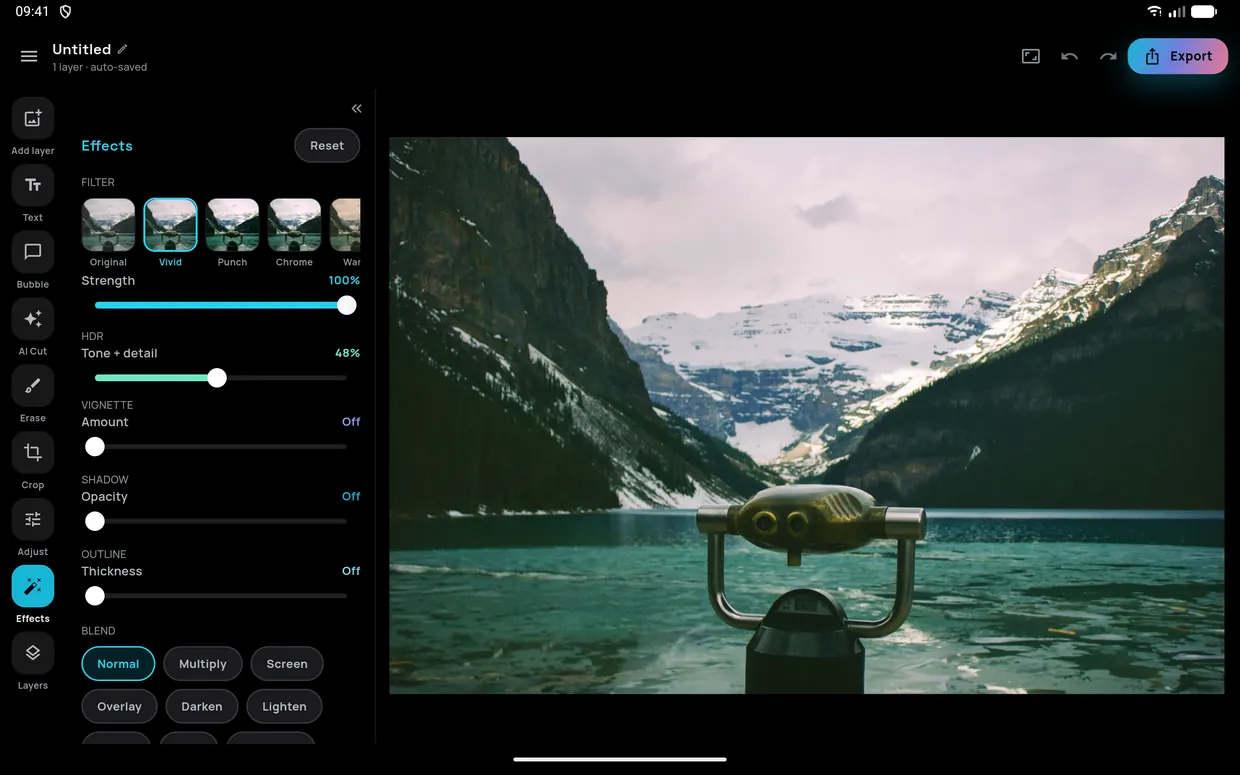
The editor in landscape: a vertical tool rail on the left, the Effects panel beside it, and the photo filling the rest of the screen

Turn your phone. Or bring a tablet.

In landscape the dock becomes a rail down the left edge and the tool panel folds away, so the photo gets the room it deserves. Tablets get the same layout with a wider canvas.

Good to know

Frequently asked

Do my photos get uploaded anywhere?

No. Background removal, object erase and every other edit run on your device. A photo only leaves your phone if you explicitly share or export it. See the Privacy Policy for details.

Is it really free?

Yes - all editing tools are free and supported by ads. If you'd rather not see ads, a single one-time in-app purchase removes them permanently.

Does the AI need an internet connection?

No. The AI models run locally, so cut-outs and object removal work fully offline. A connection is only used to load ads.

Are the filters on this page the real ones?

Yes. The 15 looks in the gallery above are the app's own colour matrices, exported from the source and applied by your browser - not screenshots or approximations. A build step regenerates them from the code, and a test renders every look both ways and compares the pixels, so the page can't drift from the app.

Can I change a collage's layout after the photos are in?

Yes. Photo count, layout, border width, corner radius and border colour all stay in the Grid panel for the life of the project. Swapping to another layout at the same photo count keeps each photo in its cell and re-fits it to the new shape. Dropping to a lower count removes the photos in the cells that go, as one undoable step.

Does it work on a tablet, or in landscape?

Both. Turn the phone and the tool dock becomes a rail down the left edge with a folding panel beside it, so the photo gets the width. Tablets get the same layout with a larger canvas.

Which Android versions are supported?

Android 8.0 (Oreo) and newer. Object removal works best on devices with a bit more RAM; background removal runs everywhere.

Is there an iPhone version?

Chromis is Android-first. An iOS version may follow - let us know if you'd like it.

Get in touch

Say hello

Questions, bugs or feature ideas? Send a message - we read every one.

Your message is sent via Web3Forms. See how we handle it in the Privacy Policy.

Ready to make something?

Cut-outs, filters, layers and collages - free, on-device and private. Coming soon to Google Play.

Get it onGoogle Play